

Google listing verification is the process that confirms your business is real, that you control it, and that Google can safely display it in local search results. Without verification, your Google Business Profile sits in a limited state. You cannot edit your hours, respond to reviews, post updates, or appear reliably in the Google Maps local pack. Verification is not a formality. It is the gate that separates a passive listing from a fully managed marketing asset. This guide covers every verification method, Google’s trust algorithm, common failure points, and the exact steps to get verified without delays.
What are the main methods for verifying your Google Business Profile?
Google currently offers five verification methods: video recording, postcard by mail, phone or SMS code, email code, and instant verification through Google Search Console. Google selects the method for you. You do not choose it freely. The method offered depends on your business type, location, industry category, and how much trust Google already assigns to your digital presence.
Video recording is now the most common method. Roughly 80% of new listings in competitive categories require video verification as of 2026. That share reflects Google’s push to reduce fraudulent listings. The video must show your business location, visible signage, and proof that you operate there. Google reviews the submission within 5–7 business days on a successful first attempt.
Postcard by mail remains available for many businesses. Google mails a postcard with a unique code to your registered address. Delivery takes 5–14 days in the US. You then enter the code in your profile dashboard. This method works well for storefronts with a stable physical address, but it is slow compared to digital options.

Phone or SMS code delivers a verification code immediately to your registered business phone number. Phone verification offers immediate code delivery where eligible, making it faster than postcard and video methods. Not all business categories qualify for this option.
Email code is available only when you have a verified domain-based email address that matches your business website and Google account. Email verification requires a matching domain email, so a Gmail address will not qualify. This method is fast when available.
Instant verification is the fastest path. It happens automatically when you use the same Google account to verify your domain in Search Console and then claim your Business Profile. Instant verification bypasses all waiting times associated with other methods. Google treats this as a low-risk scenario because the domain ownership is already confirmed.
Pro Tip: Check which method Google offers you before doing anything else. If you see instant verification as an option, you have already done the groundwork correctly. If you see video, read the recording requirements carefully before you film a single second.
How does Google’s trust-based algorithm influence verification method selection?
Google’s verification system is built on a trust model, not a random assignment. The algorithm evaluates your business’s digital footprint consistency across the web, specifically your Name, Address, and Phone number, commonly called NAP consistency. When your NAP data matches across your website, social profiles, and directory listings, Google reads that as a signal of a legitimate, stable business.
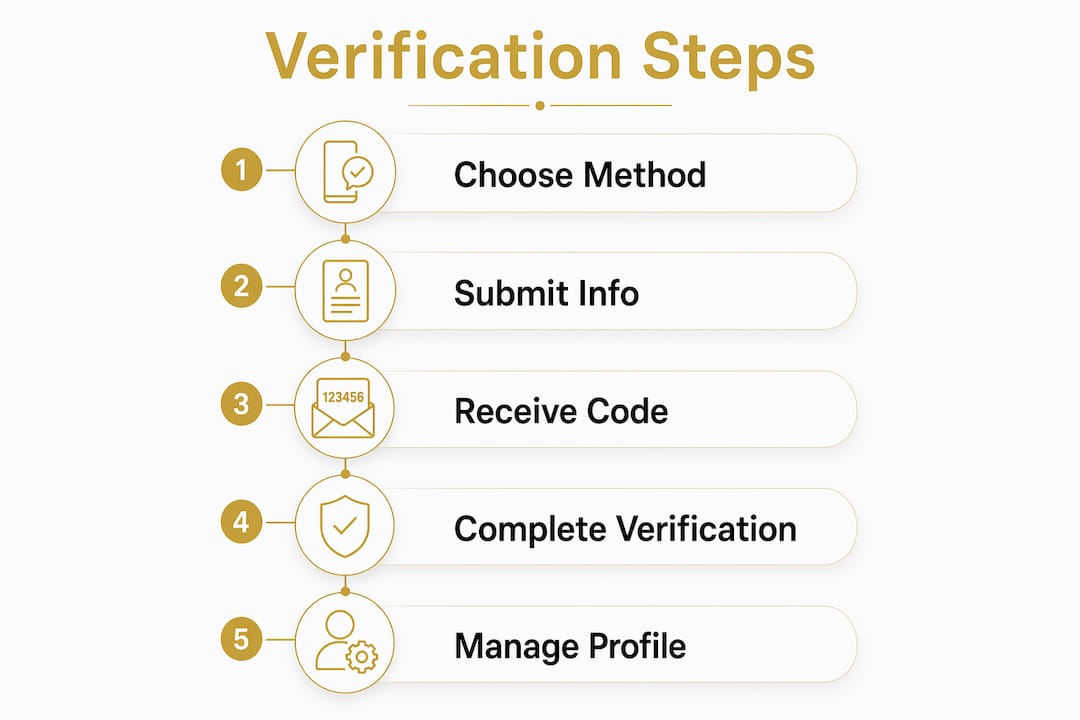
The algorithm also checks whether your website domain is verified in Google Search Console under the same Google account you are using to claim the Business Profile. When that connection exists, Google has strong evidence that you are the actual owner of the business. That evidence often triggers instant verification or at minimum a simpler method like phone or email.
Attempting to force a different verification method than the one Google offers signals low operational trust and often backfires. Business owners sometimes try to delete and recreate profiles to get a preferred method. That approach can trigger a manual review flag, which adds weeks to the process. Work with the method Google assigns, not against it.
A consistent and legitimate online business presence significantly increases your chances of fast verification and acceptance without additional review delays. Build that presence before you claim your listing, not after.
Pro Tip: Audit your NAP data on your website, Facebook page, Yelp listing, and any local directories before you touch your Google Business Profile. Even a small discrepancy, like “St.” versus “Street,” can push you toward a slower verification method. A solid digital footprint reduces friction at every stage.
What are the common mistakes and challenges in the Google listing verification process?
Verification failures are more common than most business owners expect. Understanding where things go wrong saves you weeks of waiting and frustration.
-
Choosing the wrong business type. Selecting the wrong classification between storefront and service-area can trigger an automated suspension before verification even begins. A plumber who lists a home address as a storefront, or a retail shop that marks itself as a service-area business, will hit a policy flag immediately. Match your business type to how customers actually interact with you.
-
Using a PO box or virtual office address. Google does not allow PO boxes or virtual offices as the primary business address. Service-area businesses must provide a real, verifiable mailing address for verification purposes only, and then hide that address from the public listing. Using a virtual office address is a common cause of profile suspension.
-
Recording a poor verification video. 30–40% of first video verification attempts fail, mainly because of missing visible address numbers, poor video quality, or no signage. Google requires one continuous take with GPS enabled. Edited videos or jump cuts cause automatic rejection. Each failed submission adds 5–7 business days to your timeline. Three failures trigger a manual review, adding another 5–10 days.
-
Inconsistent business information. If your business name, address, or phone number in the profile does not match what appears on your website or other platforms, Google’s algorithm flags the discrepancy. Fix all inconsistencies before submitting for verification.
-
Entering the postcard code after it expires. Postcard codes expire after 30 days. If you miss the window, you must request a new postcard and wait another 5–14 days.
Pro Tip: Before you film your verification video, walk through the location as if you are Google’s reviewer. Can you clearly read the street address number from the footage? Is your business sign visible and legible? Is the video one unbroken take with your phone’s GPS active? Answer yes to all three before you submit.
Practical steps to prepare for and complete Google listing verification
Preparation before you claim your profile is the single biggest factor in how fast and smoothly verification goes.
Verify your domain in Google Search Console first. Verifying your website domain at least 10 minutes before claiming your profile can save weeks of waiting. Use the same Google account for both Search Console and your Business Profile claim. This connection is what triggers instant verification for eligible businesses.
Audit your business information for consistency. Check that your business name, address, and phone number are identical across your website, social media profiles, and any directory listings. Even minor formatting differences reduce your trust score in Google’s algorithm.
Record your verification video correctly. Film in one continuous take with no edits or cuts. Enable GPS on your phone before you start. Show the exterior of your location, your visible street address number, and your business signage. Walk inside and show that the space is an active business. Keep the video under 2 minutes.
Manage your postcard carefully. If Google sends a postcard, watch for it in the mail within 14 days. Do not move or change your business address during this window. Enter the code exactly as printed. Codes are case-sensitive and expire after 30 days.
Understand google listing eligibility explained in simple terms. Not every business qualifies for a Google Business Profile. Your business must have direct, in-person contact with customers, either at a physical location or by traveling to them. Online-only businesses do not qualify. Confirming your eligibility before you start prevents wasted effort.
Once verified, your profile unlocks full editing capabilities. You can manage business hours, post updates, upload photos, and respond to reviews. Verification unlocks posts, reviews, photos, and hours, and it directly improves your local SEO standing. The benefits of completing the google business verification process are immediate and measurable.
Pro Tip: Set a calendar reminder for day 12 after requesting a postcard. If it has not arrived by then, log into your profile and request a new one. Waiting until day 30 and finding an expired code is a preventable delay.
How does Google listing verification impact local marketing success?
A verified Google Business Profile is not just a checkbox. It is the foundation of your local marketing presence. Verified profiles display a “Verified” badge in Google Maps and Search, which increases consumer trust at the exact moment someone is deciding whether to call or visit your business.
Verification also determines whether you appear in the Google Maps local pack, the three-business block that appears at the top of local search results. Unverified listings rarely appear there. Verified listings with complete, accurate profiles compete directly for those top spots. The benefits of local SEO compound over time when your verified profile is actively managed.
Beyond rankings, verification gives you control over your reputation. You can respond to customer reviews, which signals to both Google and potential customers that your business is active and engaged. You can post offers, events, and updates that appear directly in search results. These features are locked until verification is complete.
The connection between verification and local SEO rankings is direct. Google rewards verified, well-maintained profiles with better placement. Businesses that treat their verified profile as a living marketing tool, not a one-time setup task, consistently outperform those that verify and walk away.
Key takeaways
Google listing verification is the required step that gives local business owners full control of their profile and the ability to compete in local search results.
| Point | Details |
|---|---|
| Verification unlocks full profile control | Without verification, you cannot edit hours, respond to reviews, or post updates. |
| Google selects your verification method | The method depends on your business type, NAP consistency, and Search Console domain status. |
| Video verification dominates in 2026 | Roughly 80% of new listings in competitive categories require video verification. |
| Preparation reduces delays significantly | Verifying your domain in Search Console before claiming your profile can trigger instant verification. |
| Wrong business type causes suspension | Misclassifying storefront versus service-area triggers automated flags before verification begins. |
What I have learned after watching hundreds of businesses go through this process
The businesses that sail through verification are not the ones with the fanciest websites or the biggest budgets. They are the ones that did the boring work first. They checked their NAP data across every platform. They verified their domain in Search Console days before claiming their profile. They filmed their verification video in one clean take with GPS on and their address number clearly visible.
The businesses that struggle are almost always the ones that skipped the preparation and tried to fix problems after the fact. A failed video submission is not just a delay. It is a signal to Google’s system that something may be off. Three failures in a row and you are looking at a manual review that can stretch your timeline by weeks.
One thing most guides do not tell you: the trust Google assigns to your business before you even touch your profile matters enormously. If your website has been live for two years, your NAP is consistent across 15 directories, and your domain is verified in Search Console, Google already knows who you are. Verification becomes a formality. If you are starting from scratch with a brand-new website and no directory presence, expect more friction and plan for it.
My honest advice is to treat the verification process as a diagnostic. If Google assigns you video verification, that tells you your digital footprint needs work. Use that signal. Build your online presence, get your NAP consistent, and the next time you need to verify or re-verify, the process will be faster.
— Against
Spinlisting and your verified Google Business Profile
Verification is the starting line, not the finish line. What you do with your profile after verification determines whether it drives real customers to your door.

Spinlisting specializes in Google Business Profile optimization for local businesses that want more than a verified listing. Spinlisting’s approach covers accurate profile setup, consistent NAP management, local SEO keyword integration, and ongoing profile updates that keep your listing competitive. Clients have seen first-place ranking increases of 83% and measurable gains in organic traffic. If you have verified your profile and want to turn it into a genuine growth asset, Spinlisting provides the ongoing management that makes that happen.
FAQ
What is Google listing verification?
Google listing verification is the process that confirms your business is real and that you control your Google Business Profile. Completing it unlocks full profile editing, review management, and improved local search visibility.
How long does Google listing verification take?
Timelines vary by method. Postcard verification takes 5–14 days in the US. Video verification review takes 5–7 business days on a successful first submission. Instant verification through Search Console is immediate.
Why is my Google listing verification failing?
The most common causes are missing visible address numbers in the video, poor video quality, edited footage, or using a PO box or virtual office as your business address. Misclassifying your business type as storefront versus service-area also triggers automatic flags.
Can I choose my verification method?
No. Google assigns the verification method based on your business type, location, industry, and trust signals like NAP consistency and Search Console domain verification. Attempting to force a different method can trigger a manual review delay.
What happens after I verify my Google Business Profile?
Verification unlocks full profile editing, including business hours, photos, posts, and review responses. Your listing becomes eligible to appear in the Google Maps local pack, and your profile displays a verified badge that increases consumer trust.